Back up and restore
Save everything to a file, and restore it later or on another iPad.
- 1
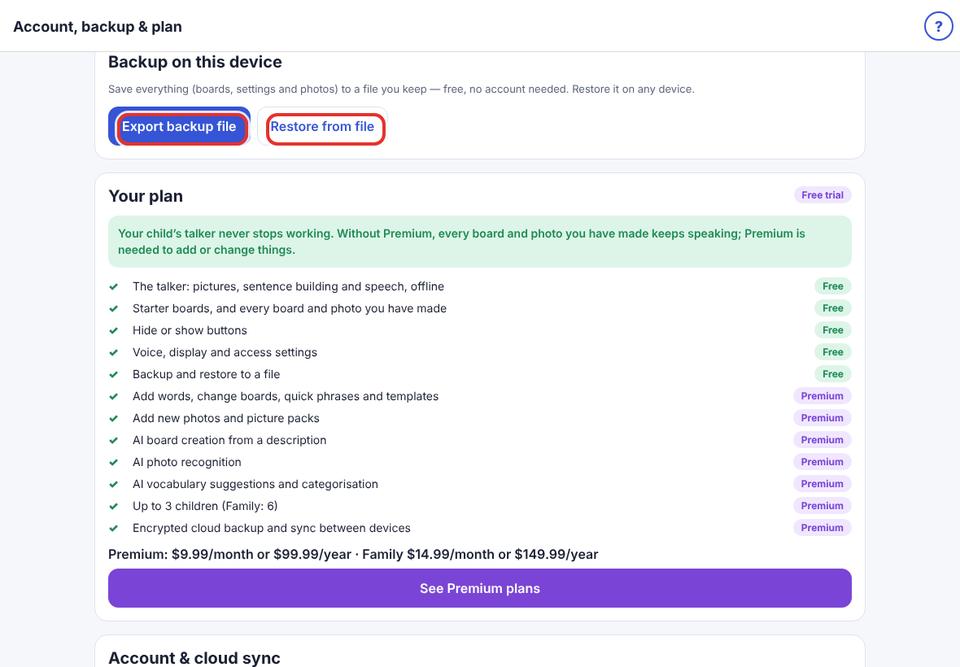
Parent area → Account & backup → Backup on this device.
- 2
Tap Export backup file and save it to Files, iCloud Drive or email it to yourself.
- 3
To restore: tap Restore from file and choose the backup.
Back up before big changes, and before deleting the app.