Word prediction and grammar help
Optional helpers that suggest the next word and add small words like “to”.
- 1
Open the parent area → Speech & display → Language help (optional).
- 2
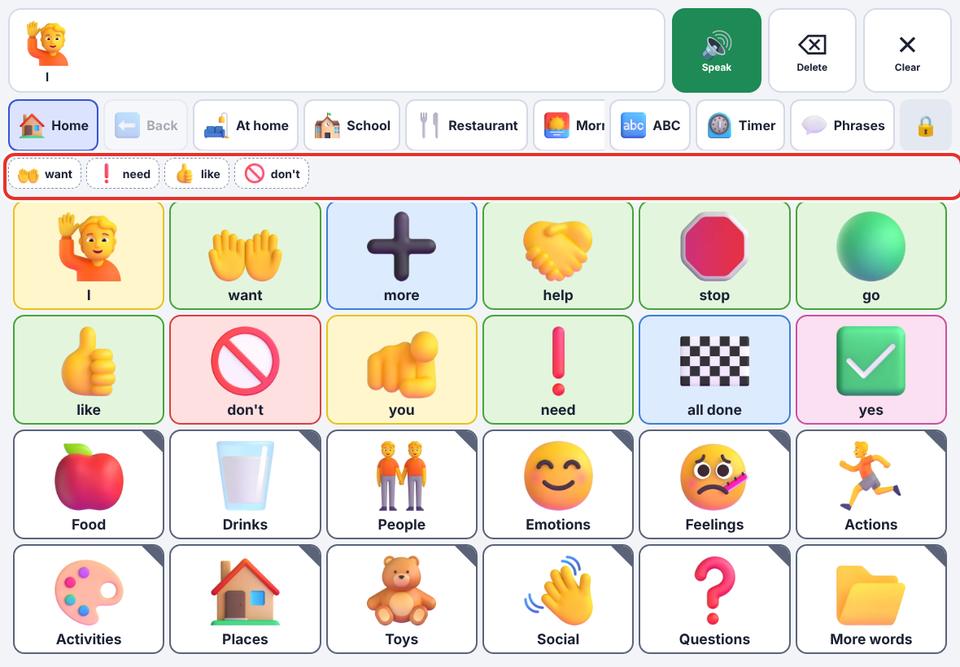
Turn on Word prediction. After your child taps a word, a few likely next words appear above the board as dashed chips. They are only spoken if tapped.
- 3
Turn on Grammar help to add small words when speaking: “I want go” is said as “I want to go”. Your child’s own words are never removed.
Both work for English talkers.