Add a button
Add a word or phrase to any board.
- 1
Open the board editor (Parent area → Edit boards → Edit).
- 2
Tap an empty + box where you want the new button.
- 3
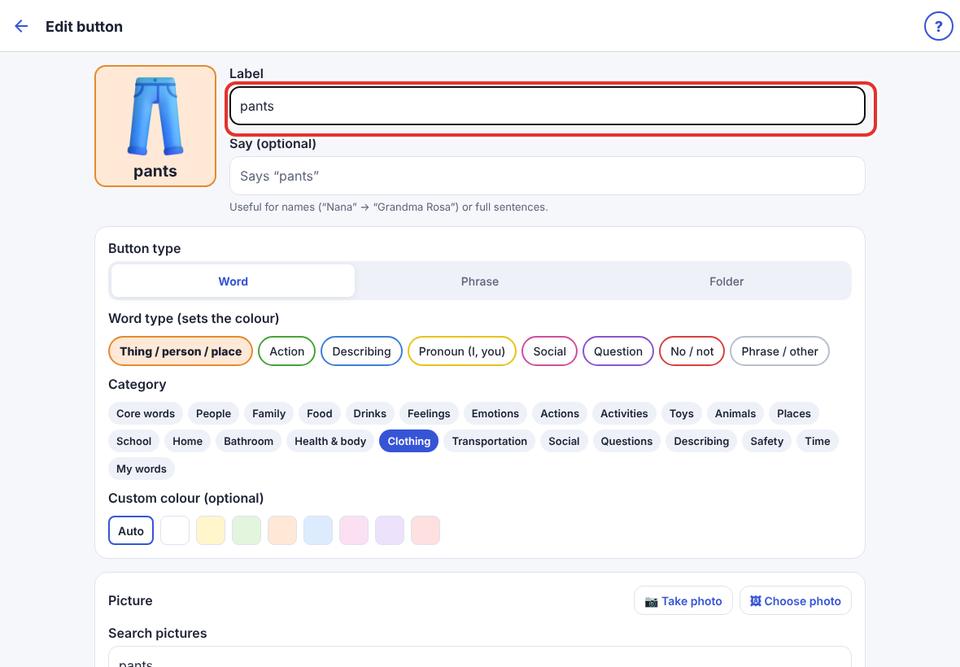
Type the word in Label, for example “biscuit”. A matching picture is suggested automatically.
- 4
Optionally type what it should say in Say, for example “Can I have a biscuit please?”.
- 5
Choose Word, Phrase or Folder (a folder opens another board; choose which).
- 6
Change the picture if you like (see “Choose a picture”), then tap Save.