First-time setup
The first time you open KuyilVoice, a short setup (about 3 minutes) builds your child’s talker.
- 1
Tap Continue on the welcome screen.
- 2
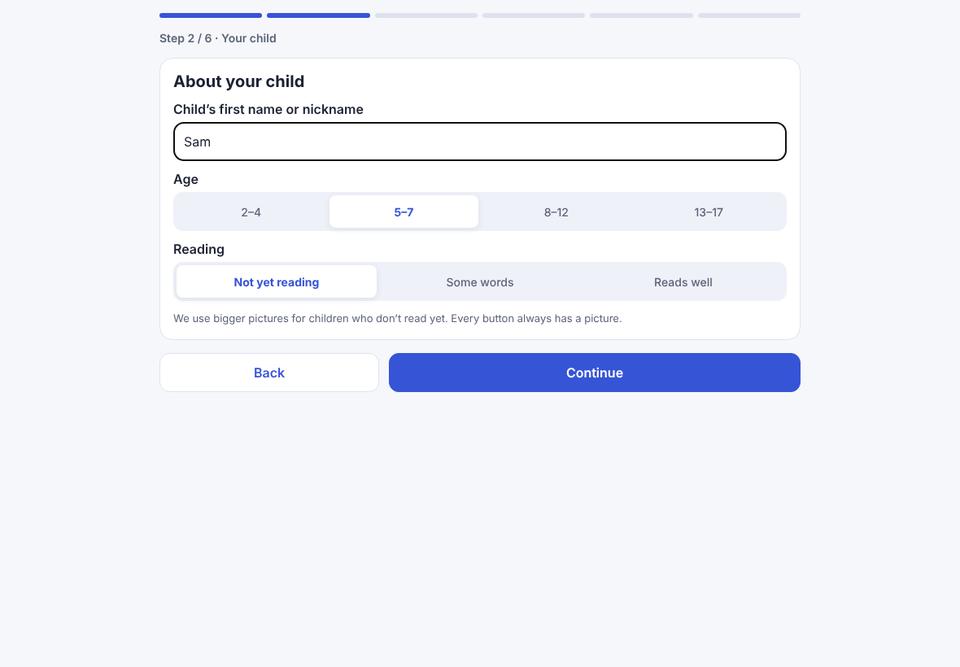
Your child: type your child’s name, choose an age range and how much they read. This sets sensible starting words. You can change everything later.
- 3
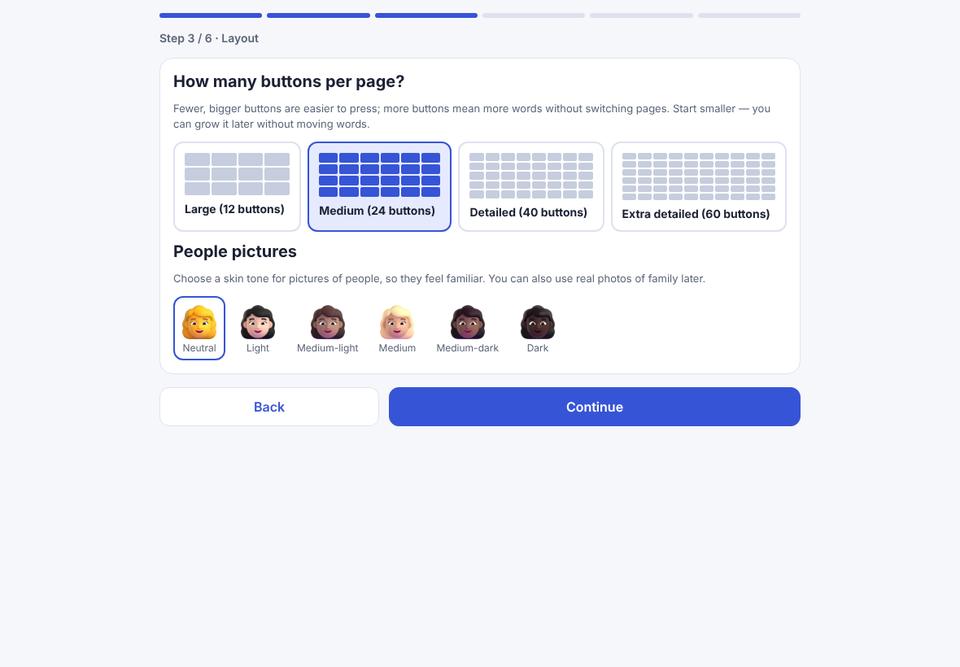
Layout: choose how many buttons per page. Fewer, bigger buttons are easier for young children or children who are still learning to point. Also choose the skin tone for pictures of people.
- 4
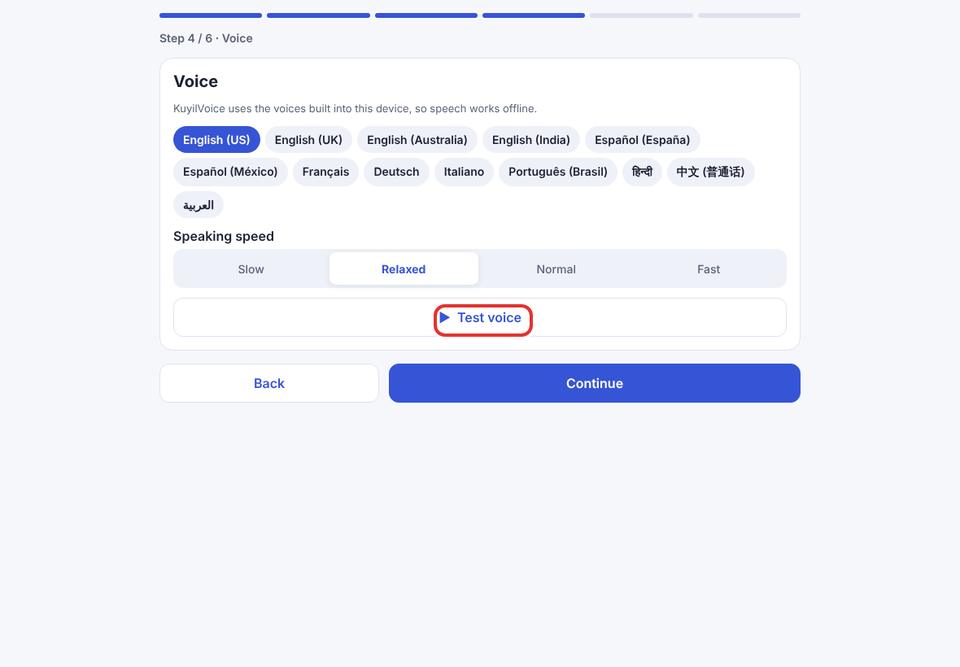
Voice: choose a language and speed, then tap ▶ Test voice to hear it.
- 5
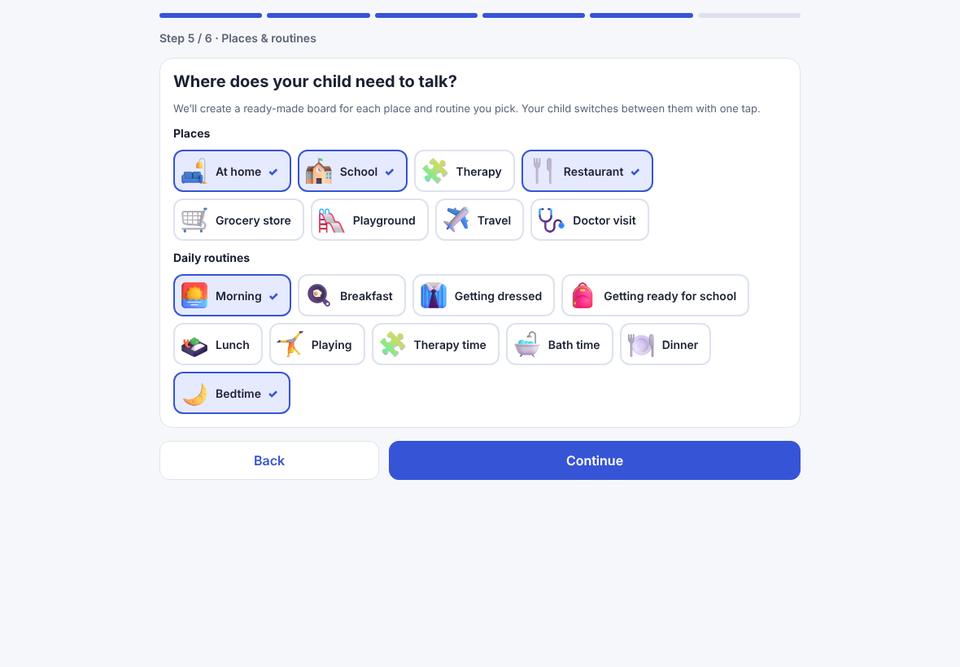
Places & routines: tick the places your child goes (school, restaurant…) and routines (bedtime…). Each becomes a ready-made board you can switch to in one tap.
- 6
Interests (optional): type what your child loves, for example “dinosaurs, swimming and trains”, tap Suggest words, and untick anything you don’t want.
- 7
Tap Create … talker. The talker opens and is ready to use.
No account is needed. You can create one later for backup, sync and the AI assistant.