Button size, labels and colours
Make buttons easier to see.
- 1
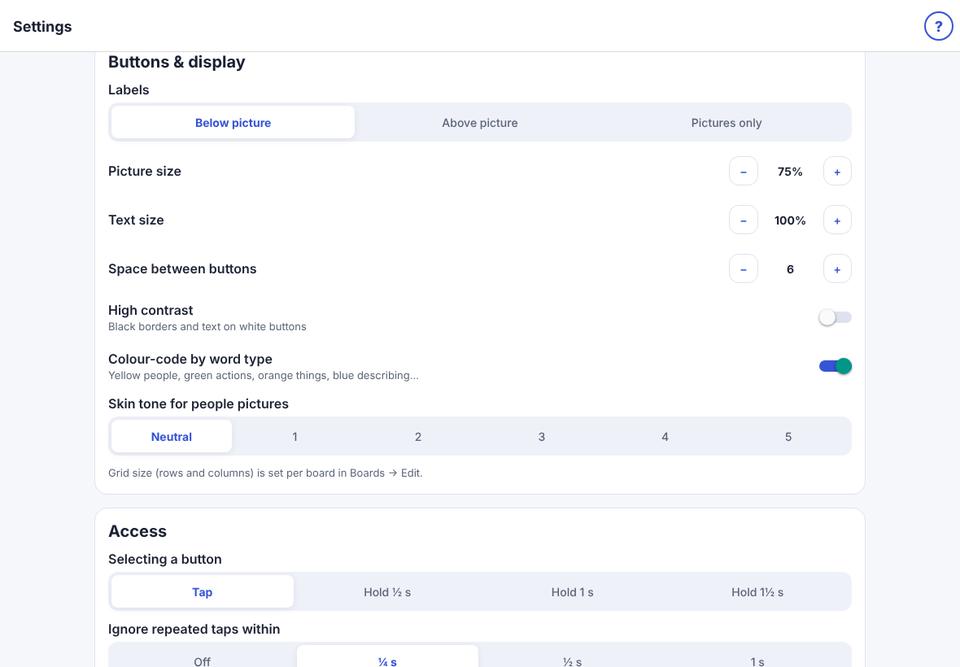
Parent area → Speech & display → Buttons & display.
- 2
Labels: above or below the picture, or pictures only.
- 3
Picture size, Text size and Space between buttons.
- 4
High contrast (black and white) and Colour-code by word type.