Spelling keyboard
For children who can spell: type any word, with picture suggestions.
- 1
Open the parent area → Speech & display → Spelling keyboard, and choose ABC order or QWERTY.
- 2
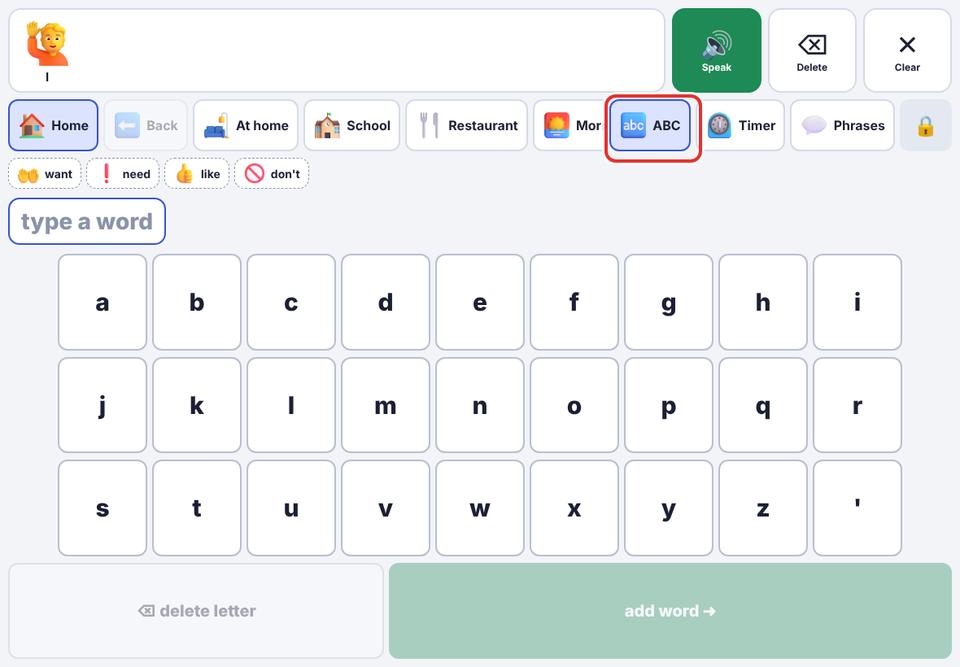
In the talker, tap the ABC button in the top row.
- 3
Type letters. Matching picture words appear as suggestions; tap one to add it.
- 4
Or finish typing and tap add word ➜ to add exactly what was typed.
The keyboard is off by default for children who don’t read yet.